Professional Event Live Streaming in NYC: What Events Can Be Streamed and How It Works
Professional live streaming makes it possible to bring an event to viewers who cannot attend in person. For companies, nonprofit organizations, universities, event planners, and private clients, live streaming can extend the reach of an event far beyond the physical venue.
A live audience may be located in another office, another city, another country, or simply unable to attend the event in person. With the right production setup, remote viewers can watch speakers, presentations, panel discussions, product demonstrations, ceremonies, and other activities as they happen.
Professional event live streaming can range from a relatively simple one-camera production to a multi-camera broadcast with dedicated audio, presentation feeds, graphics, and live video switching.
Below are some of the most common types of events that can be streamed professionally in New York City, a Guide for NYC Events.
Corporate Event Live Streaming
Corporate events are one of the most common applications for professional live streaming.
Companies may need to communicate with employees, clients, investors, business partners, distributors, or other audiences who are not physically present at the venue.
Corporate live streaming can be used for:
- company presentations
- executive announcements
- internal meetings
- employee training
- business partner presentations
- product demonstrations
- company celebrations
- networking events
- town hall meetings
- investor or stakeholder presentations
One common example is a company representative demonstrating products to business partners who are watching remotely through the live stream.
In this type of production, the broadcast may need to show both the presenter and the products being demonstrated. A second camera can provide close-up views, while presentation slides or other visual materials can also be incorporated into the stream.
For a larger corporate event, a multi-camera setup can make the broadcast more dynamic and easier to follow.
Conference Live Streaming
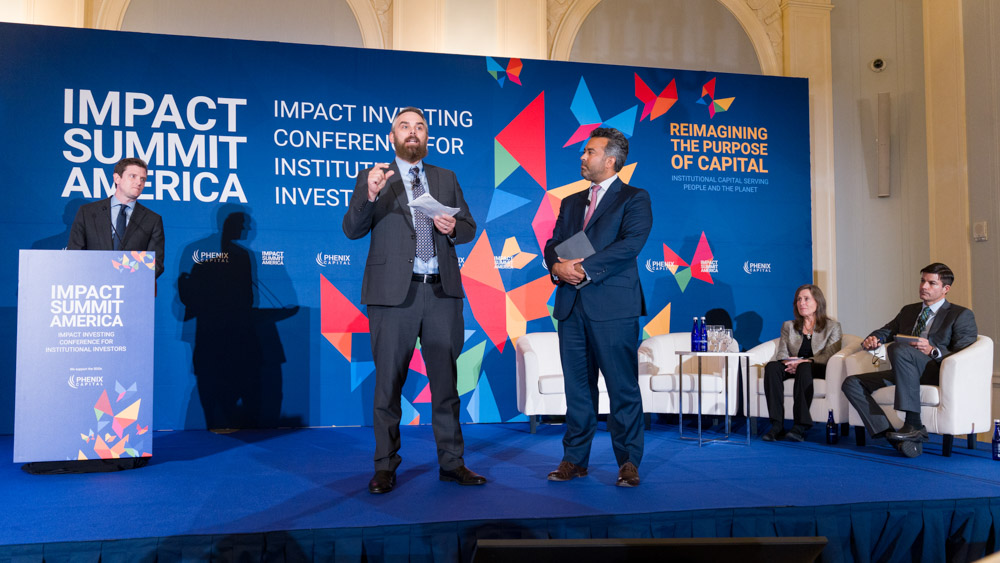
Conferences often include multiple speakers, presentations, panel discussions, keynote sessions, and audience interaction.
For viewers watching remotely, a single wide camera pointed toward the stage may not provide the best experience.
A professional conference live stream can use several camera angles. One camera may show the entire stage, while another provides close-up shots of individual speakers.
Presentation slides can also be sent directly into the broadcast so remote viewers can read them clearly rather than watching them through a camera pointed at a projection screen.
Depending on the conference format, live streaming may include:
- keynote speeches
- panel discussions
- presentations
- Q&A sessions
- interviews
- breakout sessions
- award presentations
- product demonstrations
Professional audio is especially important for conferences because speakers may use handheld microphones, lavalier microphones, podium microphones, or the venue’s existing sound system.
Nonprofit Gala and Fundraising Charity Event Live Streaming
Nonprofit organizations can use live streaming to include supporters who cannot attend a fundraising event in person.
A nonprofit gala may include speeches, awards, presentations, videos, fundraising appeals, entertainment, auctions, and recognition of donors or volunteers.
A professional live stream can allow remote viewers to watch these moments in real time.
This can be particularly useful when an organization’s donors, board members, supporters, or community are spread across different locations.
Live streaming may also expand the potential audience beyond the number of people who can physically fit inside the venue.
Depending on the event, the production may include several cameras covering the stage, speakers, audience reactions, and other activities.
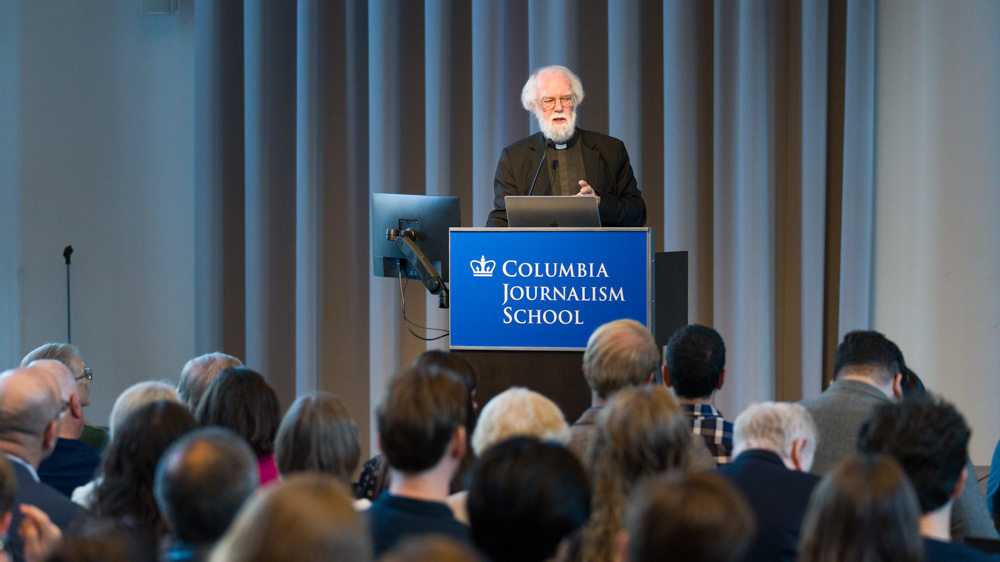
University and Educational Event Live Streaming
Universities, colleges, schools, and other educational organizations frequently need to reach audiences beyond the classroom or campus.
Professional educational event live streaming can be used for:
- lectures
- academic conferences
- panel discussions
- guest speakers
- seminars
- university ceremonies
- research presentations
- alumni events
- educational programs
- training sessions
Remote viewers may include students, faculty members, parents, alumni, researchers, or participants from other institutions.
When presentations are involved, slides and other computer content can often be integrated directly into the live broadcast.
This provides a clearer viewing experience than simply recording a projection screen with a camera.
Multi-Camera Event Live Streaming
Not every event requires multiple cameras, but multi-camera production can significantly improve the experience for remote viewers.
Instead of watching one static shot for an entire event, viewers can see different angles depending on what is happening.
For example, during a presentation:
- one camera may show the entire stage
- another camera may provide a close-up of the speaker
- another angle may show the audience
- presentation slides can be inserted directly into the broadcast
During a panel discussion, the stream can move between a wide shot of all panelists and close-ups of individual speakers.
During a product demonstration, one camera can show the presenter while another provides a closer view of the product.
All of these video sources can be switched in real time during the live broadcast.
Wedding Live Streaming
Wedding live streaming allows family members and friends who cannot attend the ceremony in person to watch remotely.
This may be especially useful when guests live in other states or countries, have travel limitations, or are otherwise unable to attend.
A wedding live stream may be relatively simple, but professional production can provide better camera placement, clearer audio, and a more reliable broadcast than streaming directly from a phone.
Depending on the venue and ceremony, one camera may cover the overall scene while another captures closer views of the couple.
Professional audio can also make vows, readings, speeches, and music easier for online viewers to hear.
Live Streaming for Panel Discussions
Panel discussions present a particular challenge for live video production because several people may be speaking from different positions on stage.
A single static camera can make it difficult for online viewers to follow the conversation.
With multiple cameras, the production can switch between:
- individual panelists
- two-person shots
- the entire panel
- the moderator
- audience questions
- presentation slides
Clear audio is equally important.
Each speaker may have an individual microphone, or audio may be provided through the venue’s sound system.
The goal is to make the remote audience feel as though they are following the discussion from inside the room.
Product Launch and Brand Announcement Streaming
Product launches and brand announcements are particularly well suited to live streaming because the audience may include customers, distributors, investors, journalists, business partners, and employees in many different locations.
A live product launch can combine several types of content.
The audience may see:
- the presenter
- close-up views of the product
- presentation slides
- promotional videos
- demonstrations
- interviews
- audience reactions
For physical products, multiple cameras can be particularly useful.
One camera may show the presenter while another captures the product in greater detail.
The stream can then switch between these views as the presentation progresses.
Award Ceremony Live Streaming
Award ceremonies are another type of event where multi-camera production can make a significant difference.
A typical ceremony may involve:
- presenters
- award recipients
- speeches
- audience reactions
- videos
- graphics
- stage performances
A professional live stream can move between a wide shot of the stage, close-ups of presenters and recipients, and audience reactions.
This creates a more engaging experience for viewers who are watching remotely.
Award ceremonies can be streamed publicly or privately depending on the needs of the organization.
What Is Needed for a Professional Live Stream?
Although every production is different, most professional live streams involve several core components.
Cameras
The number of cameras depends on the size and complexity of the event.
A simple presentation may need only one camera, while conferences, panel discussions, product demonstrations, and larger corporate events often benefit from multiple cameras.
Professional Audio
Good audio is critical.
Whenever possible, the live streaming system can receive audio directly from the venue’s mixing board or sound system.
Additional microphones may also be used when necessary.
Video Switching
For multi-camera productions, a video switcher allows the live broadcast to move between different cameras and other video sources in real time.
Presentation Capture
PowerPoint presentations, Keynote slides, videos, and other computer content can often be incorporated directly into the live stream.
Reliable Internet Connection
A stable internet connection is essential.
Whenever available, a wired Ethernet connection is generally preferable to relying only on venue Wi-Fi.
Internet requirements depend on the streaming platform, resolution, bitrate, and production setup.
Streaming Platform
The final broadcast may be delivered through platforms such as YouTube, Zoom, Vimeo, Microsoft Teams, Facebook, LinkedIn, or another private or public streaming platform.
The appropriate platform depends on the audience and purpose of the event.
Live Streaming in New York City
New York City hosts an enormous variety of events, from small corporate presentations to large conferences, galas, educational programs, and product launches.
Professional live streaming can be adapted to different venues and production requirements.
The appropriate setup depends on factors such as:
- venue size
- number of speakers
- number of cameras
- duration of the event
- audio requirements
- internet availability
- presentation content
- streaming platform
- size and location of the remote audience
For more information about professional live streaming services in New York City, visit the NYC page.
Live Streaming in New Jersey
Professional live streaming is also available for events in New Jersey.
Corporate offices, conference venues, universities, nonprofit organizations, hotels, event spaces, and private venues may all require professional live streaming production.
For more information about coverage in New Jersey, visit the NJ page.
How Much Does Professional Event Live Streaming Cost?
The cost of event live streaming depends on the production requirements.
A small event using a simple camera setup can require significantly fewer resources than a multi-camera conference or gala with several speakers, presentation integration, and several hours of continuous broadcasting.
Factors that may affect pricing include:
- event duration
- number of cameras
- number of operators
- audio requirements
- presentation integration
- streaming platform
- internet requirements
- setup and breakdown time
- venue logistics
For current packages and rates, visit the PRICING page.
Choosing the Right Live Streaming Setup
There is no single live streaming setup that is appropriate for every event.
A small corporate meeting may need only a compact production system, while a conference, nonprofit gala, panel discussion, or product launch may benefit from several cameras and more extensive production support.
The objective is to create a reliable stream that allows remote viewers to clearly see and hear what is happening at the event.
Good planning before the event can help determine the appropriate number of cameras, audio connections, internet requirements, and streaming platform.
Professional Event Live Streaming in NYC
NYC Live Streaming provides professional live streaming production for corporate events, conferences, nonprofit and fundraising events, university programs, panel discussions, product launches, award ceremonies, weddings, and other events.
Whether the remote audience is located elsewhere in New York, across the United States, or around the world, professional live streaming can make it possible for them to participate in the event as it happens.
To discuss the requirements of an upcoming event, visit the CONTACT page.